Consumer smart home technology has reached a critical turning point. For over a decade, households were sold proprietary cloud ecosystems that required separate mobile apps, constant internet connectivity, and recurring monthly subscriptions. When cloud providers abruptly shut down remote servers, discontinued popular hardware, or introduced paywalls for basic push notifications, millions of connected homes were rendered instantly dysfunctional.
Local-first smart home architecture solves this vulnerability by bringing all device communication, automation logic, and telemetry processing inside your own living space. At the epicenter of this open-source revolution is Home Assistant, an operating system and application platform that unifies thousands of disparate smart accessories under a single, private, and lightning-fast local dashboard.
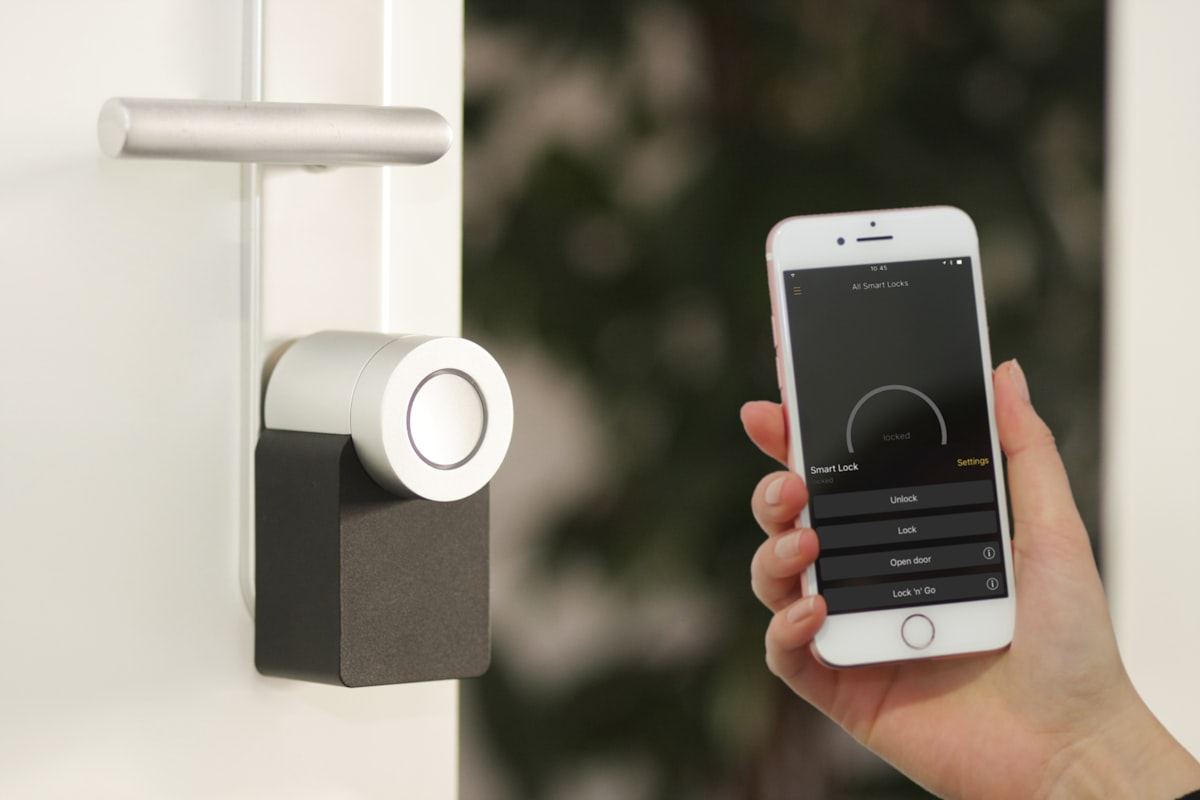
Smart Home Automation Hub Interface
Whether you are seeking to automate indoor climate controls, monitor solar energy production in real time, integrate Matter over Thread devices, or deploy local privacy-preserving voice recognition, this comprehensive architectural guide covers hardware selection, protocol selection, network segmentation, and advanced automation engineering.
The Core Philosophy: Local Execution vs Cloud Dependency
The fundamental distinction between Home Assistant and commercial smart home platforms—such as Amazon Alexa, Google Home, or Tuya—is the concept of local execution.
In a traditional cloud-dependent setup, pressing a smart light switch sends an outbound encrypted packet across your home router, through the public internet, to an offshore server cluster. The cloud server processes the command, evaluates whether an automation condition is met, and beams another instruction back down to your house to illuminate a bulb. If your internet service provider suffers a fiber cut, if the vendor's API experiences downtime, or if the manufacturer goes bankrupt, your physical light switch ceases to function.
In contrast, Home Assistant operates on a local-first paradigm:
- Zero Outbound Latency: Every automation executes on your local local area network (LAN) or wireless mesh network. When a motion sensor detects presence, the light turns on in fewer than twenty milliseconds because the packet never leaves your living room.
- Total Internet Resilience: If your broadband connection drops entirely, your entire home continues functioning seamlessly. Wall switches, scheduled thermostats, presence automations, and alarm systems operate normally.
- Guaranteed Data Sovereignty: Security camera feeds, room occupancy timestamps, and personal lifestyle schedules remain stored strictly on local flash media rather than uploaded to third-party corporate data centers.
Hardware Platforms: Choosing Your Host Machine
Home Assistant can be deployed on a wide variety of computing architectures, ranging from purpose-built consumer appliances to enterprise virtualization hypervisors. Selecting the appropriate host hardware determines long-term stability, upgradeability, and processing headroom for background tasks like machine learning and video analytics.
1. Dedicated Mini PCs (Intel N100 / AMD Ryzen)
In modern deployments, low-power x86-64 mini PCs powered by quad-core processors like the Intel Alder Lake-N100 have become the gold standard for dedicated Home Assistant servers:
- Power Efficiency: These compact units consume merely 6 to 12 watts of electricity at idle, translating to a negligible annual electric footprint.
- Storage Reliability: Equipped with native NVMe M.2 solid-state drives, mini PCs eliminate the severe flash wear and corruption issues historically associated with micro-SD cards.
- Processing Headroom: The robust x86 architecture provides ample computational horsepower to run Home Assistant OS alongside supplementary services like Frigate NVR (AI camera object detection), Whisper local speech-to-text, and local database backends.
2. Home Assistant Green and Yellow
For enthusiasts seeking a plug-and-play, turnkey experience without manual Linux provisioning, Nabu Casa (the commercial entity backing the open-source project) offers official hardware appliances:
- Home Assistant Green: An entry-level, energy-efficient device tailored for newcomers. It comes pre-installed with Home Assistant OS, requires zero terminal configuration, and boots straight out of the box into a local web wizard.
- Home Assistant Yellow: An advanced, modular board built around the Raspberry Pi Compute Module 4 (CM4). It incorporates an integrated Zigbee and Thread radio chip, an M.2 NVMe expansion slot for high-endurance storage, and optional Power-over-Ethernet (PoE) support for clean, single-cable installations in wiring closets.
3. Raspberry Pi 5 with NVMe Storage
While the Raspberry Pi remains a wildly popular platform, deploying Home Assistant on a micro-SD card is heavily discouraged. Continuous time-series writes from home sensors and telemetry databases will degrade and corrupt micro-SD flash cells within 6 to 18 months. When using a Raspberry Pi 5, always install an official PCIe NVMe HAT and boot the operating system directly from a dedicated solid-state drive to guarantee multi-year database integrity.
| Hardware Option | Target User | Storage Type | Idle Power | Local AI Voice / Vision |
|---|---|---|---|---|
| Home Assistant Green | Beginners / Plug-and-play | Integrated eMMC Flash | ~2 - 3 Watts | Cloud fallback / Basic |
| Home Assistant Yellow | Intermediate / Modular | M.2 NVMe SSD | ~3 - 5 Watts | Moderate (CM4 limits) |
| Intel N100 Mini PC | Enthusiasts / Power users | M.2 NVMe SSD | ~6 - 10 Watts | Excellent (Full local AI) |
| Virtual Machine (Proxmox) | Home lab administrators | ZFS Enterprise Storage | Variable (Host dependent) | High (GPU pass-through) |
Wireless Protocols: Zigbee, Z-Wave, and Matter over Thread
A resilient smart home requires selecting the right wireless mesh protocols for battery-powered sensors and wall-powered relays. Wi-Fi devices, while inexpensive, flood your home router's DHCP pool, introduce security vulnerabilities, and consume excessive battery power. Dedicated low-power wireless mesh protocols solve these challenges through decentralized peer-to-peer topologies.
Video walkthrough: Comprehensive setup guide for Home Assistant, device pairing, and foundational dashboard design.
1. Zigbee 3.0
Zigbee remains the most cost-effective and widely adopted wireless mesh standard in the DIY home automation ecosystem:
- Operating Frequency: Runs on the globally recognized 2.4 GHz industrial, scientific, and medical (ISM) radio band.
- Mesh Dynamics: Mains-powered Zigbee devices (such as smart in-wall plugs, light switches, and hardwired relays) automatically serve as signal routers, extending the range of the network throughout multi-story houses. Battery-powered sensors (door contact sensors, temperature probes, and motion detectors) act as end devices, sleeping for 99% of the day and waking only to transmit state changes.
- Coordination in Home Assistant: Zigbee networks are managed in Home Assistant using either Zigbee Home Automation (ZHA)—a native, built-in integration—or Zigbee2MQTT (Z2M), an advanced community integration that translates Zigbee radio frames into lightweight MQTT topics. Connecting a USB coordinator dongle (such as the Sonoff Zigbee 3.0 USB Dongle Plus-P or Home Assistant SkyConnect) establishes your local wireless radio hub.
2. Z-Wave (Z-Wave Long Range & 800 Series)
For critical safety systems, door locks, and high-interference residential environments, Z-Wave offers an ultra-reliable, carrier-grade alternative:
- Sub-Gigahertz Spectrum: Unlike Zigbee and Wi-Fi, Z-Wave operates in the sub-GHz radio spectrum (908.42 MHz in North America, 868.42 MHz in Europe). Because sub-GHz waves easily penetrate thick drywall, timber framing, and masonry without colliding with crowded 2.4 GHz Wi-Fi signals, Z-Wave boasts exceptional signal penetration.
- Strict Certification Standards: Every Z-Wave product undergoes mandatory compliance testing through the Z-Wave Alliance, ensuring near-universal interoperability across different hardware manufacturers.
- Z-Wave JS: Home Assistant interfaces with Z-Wave networks via the official Z-Wave JS driver, providing instant firmware updates, direct parameter tuning, and encrypted S2 security pairing for smart deadbolts.
3. Matter over Thread
Matter represents the unified application-layer standard backed by Apple, Google, Amazon, and the Connectivity Standards Alliance (CSA). When paired with Thread, a low-power, self-healing IPv6 wireless mesh protocol, Matter bridges local ecosystems together:
- IPv6 Addressability: Every Thread device receives an individual IPv6 address, communicating seamlessly across your home network without requiring vendor-specific cloud accounts.
- Multi-Admin Control: Matter allows a single smart accessory to be controlled concurrently by multiple platforms. A smart lamp can be paired simultaneously to Home Assistant and Apple HomeKit, allowing family members to use Siri while Home Assistant runs complex background logic.
- Thread Border Routers: Apple TV 4K, HomePod mini, and Home Assistant Yellow function as Thread Border Routers, linking low-power Thread mesh networks to your primary home Ethernet or Wi-Fi subnets.
Designing a Local Network Architecture
Connecting hundreds of IoT accessories to your household network introduces serious cybersecurity risks if left unmanaged. Consumer IoT gadgets frequently lack long-term security firmware patches, creating entry vectors for malicious network scans.
To build an enterprise-grade, secure smart home network, implement Virtual Local Area Networks (VLANs) on your managed network switch and router:
[ Primary LAN ] (192.168.1.0/24)
   ├── Mac / PC Workstations
   ├── Mobile Phones & Tablets
   └── Home Assistant Core (Dual NIC / Gateway access)
          │
          ▼ [ Firewall Rule: Inter-VLAN Routing with State Tracking ]
          │
[ IoT Isolation VLAN ] (192.168.50.0/24)
   ├── Wi-Fi Smart Plugs (Shelly, Sonoff)
   ├── Network Audio Streamers (Sonos)
   ├── Security Cameras (RTSP streams)
   └── [ Firewall: DROP ALL OUTBOUND WAN TRAFFIC ]
Essential Firewall Rules:
- Block IoT Outbound WAN: Prohibit devices on the IoT VLAN from establishing outbound TCP/UDP connections to the public internet. This prevents cameras and switches from calling home to unauthorized offshore servers.
- One-Way State Tracking: Allow devices on the primary trusted LAN (your laptop or phone) to initiate connections into the IoT VLAN, but configure the firewall to block any unprompted connection attempts initiated from the IoT subnet into your private workstations.
- mDNS Repeater: Enable an mDNS (multicast DNS) reflector on your router so that Home Assistant can discover smart appliances across isolated subnets without breaking firewall boundaries.
The Energy Dashboard: Real-Time Power and Solar Management
One of Home Assistant's most powerful native capabilities is the built-in Energy Dashboard. With rising electrical utility rates and widespread adoption of residential solar panels, electric vehicles, and home storage batteries, managing household energy flow in real time delivers substantial financial savings.
Current Transformer (CT) Clamps and Whole-Home Monitoring
To measure whole-home consumption, homeowners install Current Transformer (CT) sensors inside the main electrical panel:
- Hardware Options: Devices like the Emporia Vue 2 (flashed with open-source ESPHome firmware) or Shelly EM clamp around electrical conductors to measure alternating current (AC) magnetic fields, calculating instantaneous wattage and voltage without interrupting active electrical circuits.
- Individual Branch Circuits: Multi-channel monitors track high-draw individual appliances—such as central heat pumps, water heaters, kitchen ranges, and electric car chargers—identifying parasitic electrical draws and energy waste.
Automating Dynamic Tariffs and Solar Self-Consumption
Using Home Assistant's energy engine, homeowners can configure automated routines that capitalize on fluctuating hourly utility pricing:
- Dynamic Tariff Shifting: In regions with time-of-use (TOU) or spot-market electricity pricing (such as Nord Pool in Europe or Amber Electric in Australia), Home Assistant tracks tomorrow's hourly energy prices. When prices plunge into negative or ultra-cheap territory during mid-day solar surges, Home Assistant automatically triggers heat pump water heaters, dishwashers, and home battery charging cycles.
- Excess Solar Diverter: When rooftop solar production outpaces current household demand, an automation dynamically throttles an electric vehicle charger's amperage (using OCPP protocols) to consume exactly the surplus solar wattage, preventing exported electricity from being sold back to the utility grid for pennies on the dollar.
Advanced Automations: State Triggers, Templates, and Presence Detection
A truly smart home does not require manual taps on a smartphone screen; it responds proactively to ambient human behavior. Achieving seamless ambient automation requires moving beyond basic binary timers to multi-sensor presence fusion and Jinja2 templating.
1. Millimeter-Wave (mmWave) Radar vs PIR Motion Sensors
Traditional Passive Infrared (PIR) motion sensors detect changes in infrared radiation caused by warm bodies walking across room zones. While excellent for hallways, PIR sensors fail completely when an occupant sits still reading a book or working at a desk, plunging the room into darkness.
Modern presence architecture combines PIR sensors with 24 GHz or 60 GHz millimeter-wave (mmWave) radar sensors (such as the Aqara FP2 or ESPHome LD2410):
- Micro-Motion Detection: mmWave radar detects the micro-movements of human breathing and heartbeat expansion, maintaining an active room occupancy state even when an individual is completely motionless.
- Zonal Room Segmentation: Advanced radar units divide a single physical room into distinct virtual coordinate zones. Stepping toward a kitchen cutting board turns on task lighting; sitting on the couch dims the overhead lights and powers on the media soundbar.
2. Multi-Factor Presence Logic
Relying on a single sensor often results in false automation triggers. Advanced Home Assistant deployments fuse multiple contextual signals:
- Mobile device Wi-Fi connection states.
- Bluetooth Low Energy (BLE) beacon tracking using ESP32 nodes scattered across rooms (Bermuda BLE Trilateration).
- Door contact sensors paired with motion states (Wasp-in-a-Box algorithm): if a bathroom door closes and motion was detected inside, the room remains occupied indefinitely until the door re-opens, regardless of motion timeouts.
3. Example: Contextual Circadian Lighting Automation
Rather than turning lights on at a fixed 100% white brightness throughout the night, the following YAML automation dynamically calculates color temperature and brightness based on the sun's solar elevation:
alias: "Contextual Circadian Bedroom Lighting"
description: "Adjusts light intensity and warm Kelvin balance according to sun position"
trigger:
  - platform: state
    entity_id: binary_sensor.bedroom_occupancy
    to: "on"
condition:
  - condition: state
    entity_id: input_boolean.guest_sleeping_mode
    state: "off"
action:
  - choose:
      # Late Night Mode: Ultra-dim red nightlight
      - conditions:
          - condition: time
            after: "23:00:00"
            before: "06:00:00"
        sequence:
          - service: light.turn_on
            target:
              entity_id: light.bedroom_overhead
            data:
              brightness_pct: 5
              rgb_color: [255, 60, 0]
      # Twilight / Sunset Mode: Warm golden glow
      - conditions:
          - condition: numeric_state
            entity_id: sun.sun
            attribute: elevation
            below: 5
        sequence:
          - service: light.turn_on
            target:
              entity_id: light.bedroom_overhead
            data:
              brightness_pct: 45
              color_temp_kelvin: 2400
    # Daytime Default: Crisp neutral daylight
    default:
      - service: light.turn_on
        target:
          entity_id: light.bedroom_overhead
        data:
          brightness_pct: 100
          color_temp_kelvin: 4000
mode: restart
Local Voice and AI: The Era of Private Voice Assistants
The vision of a voice-controlled home was severely compromised by big-tech smart speakers that constantly streamed audio fragments to remote cloud servers, injected sponsored product recommendations, and failed whenever internet service degraded.
Home Assistant's "Year of the Voice" initiative has matured into a production-ready, entirely local voice processing pipeline:
- Wake Word Detection (MicroWakeWord): Runs locally on low-cost $5 ESP32-S3 microcontroller hardware (like the Atom Echo or Wyoming Satellite), continuously listening for custom wake phrases without transmitting audio buffers over your network.
- Speech-to-Text (Whisper): Transcribes captured spoken commands into text on your local server in under 300 milliseconds using optimized INT8 quantized neural models.
- Intent Recognition (Home Assistant Intent Engine): Matches transcribed text to local entity registries, executing direct actions like "Turn off the kitchen pendants" with instantaneous speed.
- Local Large Language Model (LLM) Integration: For conversational queries ("What is the temperature in the wine cellar?" or "Summarize which windows are open"), Home Assistant integrates natively with local inference engines like Ollama running quantized open-source models (such as Llama 3 or DeepSeek) on your host hardware.
- Text-to-Speech (Piper): Synthesizes natural, human-sounding vocal responses locally without relying on external cloud voice APIs.
By hosting the entire speech pipeline on local silicon, households achieve complete conversational voice control with zero surveillance, zero subscription fees, and complete offline autonomy.
Frequently Asked Questions
Can I access Home Assistant remotely without compromising my local security? Yes. There are two primary secure methods for accessing your local dashboard while away from home. The easiest and most supportive method is subscribing to Home Assistant Cloud via Nabu Casa ($6.50/month), which establishes an encrypted outbound tunnel to your instance without requiring you to open any inbound router ports or manage SSL certificates. The subscription directly funds full-time open-source core developers. Alternatively, advanced home lab enthusiasts can deploy a secure, self-hosted VPN tunnel such as WireGuard or Tailscale, granting remote smartphone access directly into their home LAN with enterprise-grade cryptographic security.
What happens if my Home Assistant hardware dies or the drive fails? Home Assistant includes a built-in automated backup system that captures complete system snapshots, including all configuration files, add-ons, historical databases, and encryption keys. By utilizing community add-ons like Home Assistant Google Drive Backup or Nextcloud Backup, you can schedule encrypted daily snapshots that upload automatically to off-site cloud storage. If your hardware suffers a catastrophic failure, provisioning a replacement machine and uploading your backup file fully restores your entire smart home in less than fifteen minutes.
How steep is the learning curve for a beginner moving away from Alexa or Google Home? While Home Assistant historically required manual YAML coding in text editors, the modern platform has evolved into an intuitive, UI-centric experience. Over 95% of common smart accessories (Hue, Sonos, Shelly, Apple TV, Matter devices) are discovered automatically via zero-configuration network broadcasts. Creating automations, building personalized tablet wall dashboards, and managing updates is now handled entirely through modern graphical interfaces. Text-based YAML editing remains available for power users who demand advanced programmatic customization, but it is no longer mandatory for daily operation.
Is it possible to mix Zigbee, Z-Wave, and Matter devices in the same house? Yes, absolutely. One of Home Assistant's greatest strengths is serving as a universal protocol translator. Inside Home Assistant, a Zigbee door sensor can effortlessly trigger a Z-Wave in-wall light switch, which in turn commands a Matter over Thread smart blind and adjusts a Wi-Fi thermostat. The underlying communication protocols remain completely abstracted from your automation logic; Home Assistant treats every physical device as a standardized entity regardless of how it communicates.
How does Home Assistant handle multi-user households and family privacy? Home Assistant supports granular user accounts, role-based access permissions, and individualized dashboard views. Each family member can download the official Home Assistant Companion app on iOS or Android, which automatically provisions sensors for battery level, geographic location, and pedometer activity. Administrators can restrict children or guests to specific room views (preventing accidental adjustments to main electrical panels or climate baselines), while maintaining strict local access logs for all system interactions.
Sources
- Home Assistant Official Installation and Operating System Documentation: https://www.home-assistant.io/installation/
- Home Assistant Energy Integration and Grid Monitoring Architecture: https://www.home-assistant.io/docs/energy/
- Connectivity Standards Alliance (CSA) Official Matter Specification: https://csa-iot.org/all-solutions/matter/
- Zigbee Alliance Official Specifications and Mesh Network Topology: https://zigbeealliance.org/solution/zigbee/